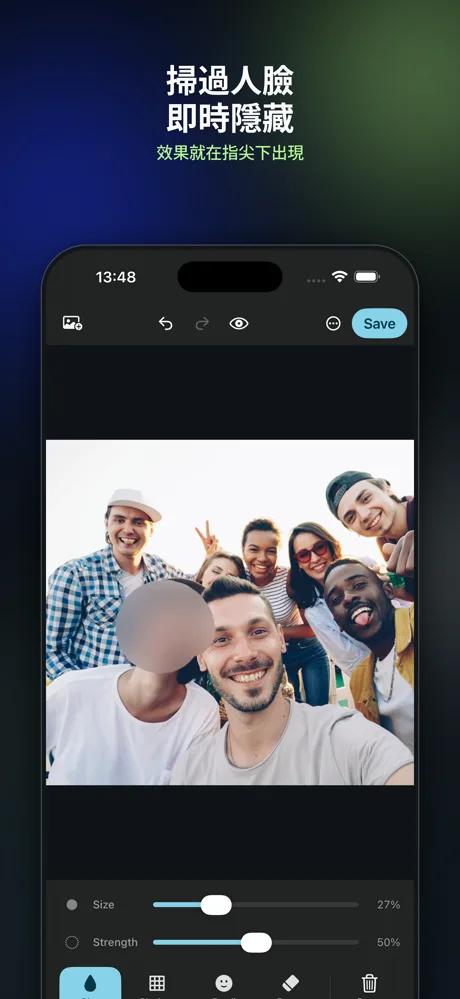
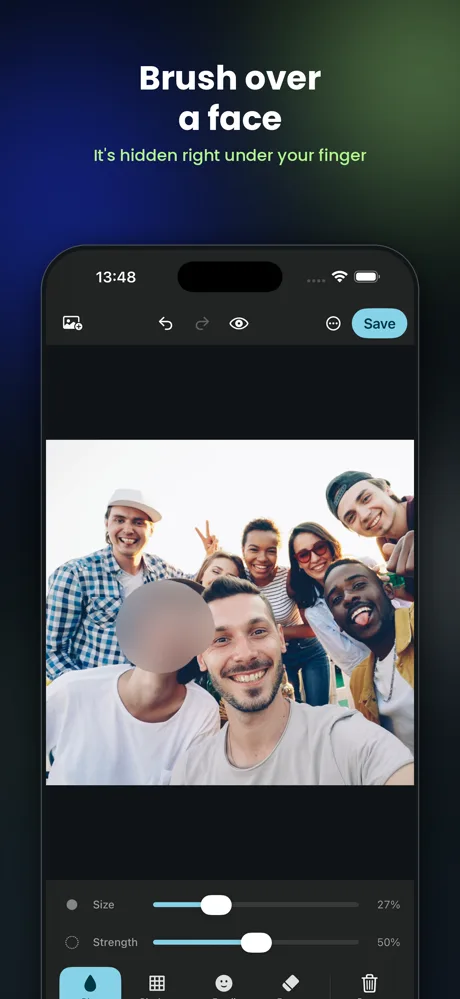
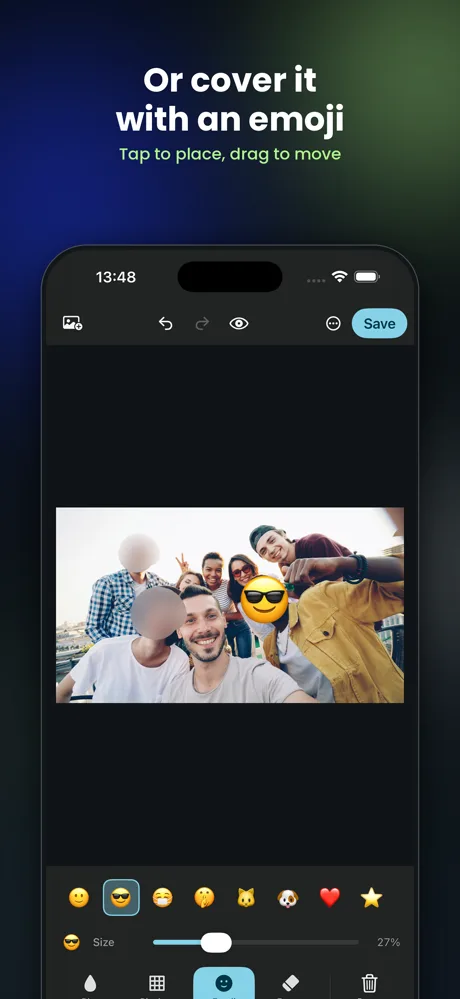
人臉、車牌、螢幕上面嘅姓名同地址 —— 用手指掃過去,即刻模糊、打格, 或者用個表情符號蓋住。全部喺你部 iPhone 或者 iPad 上面計, 張相唔會上載去任何地方。 A face, a number plate, a name or an address on a screenshot — brush over it with your finger and it is blurred, pixelated or covered with an emoji. All of it is computed on your own iPhone or iPad, and the photo is never uploaded anywhere.
揀一種,然後掃過你想遮嘅地方。效果就喺你手指下面出現。 Pick one and brush. The effect appears under your finger as you go.
睇落最自然嗰種。強度可以校,而且會按張相嘅解像度自動調整 —— 放大咗嘅相唔會變成一嚿糊。 The one that looks least like a redaction. The strength is adjustable and scales with the photo's own resolution, so a large photo does not come back as mush.
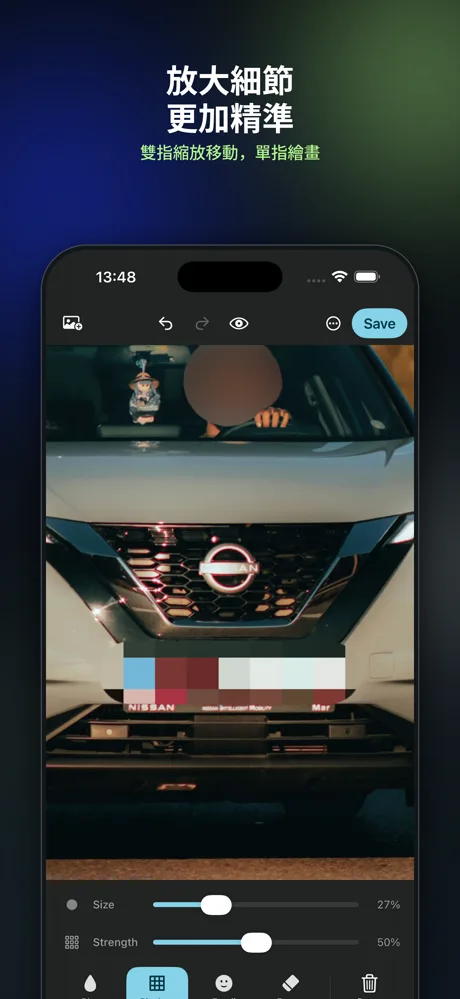
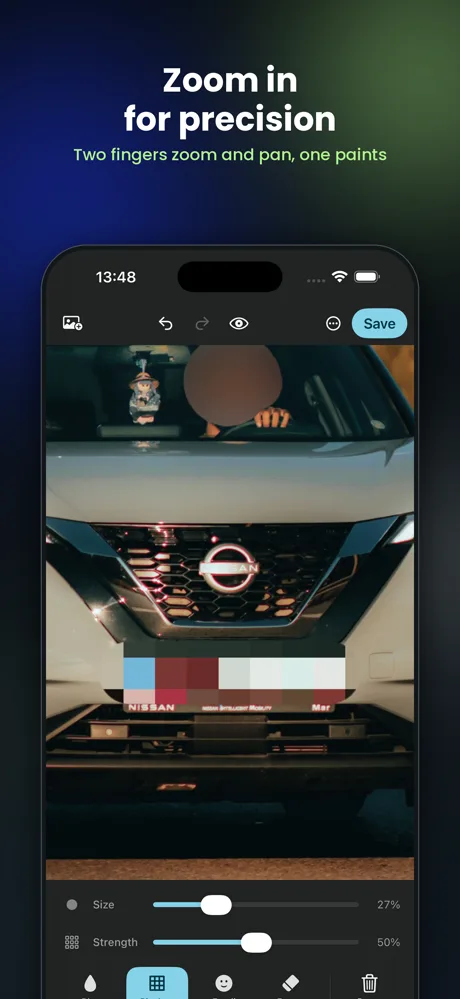
馬賽克。一望就知係特登遮咗 —— 用嚟遮車牌、單據、螢幕截圖上面嘅資料最啱。 A mosaic. It reads as deliberate, which is what you want on a number plate, a receipt or a screenshot — nobody wonders whether the camera slipped.
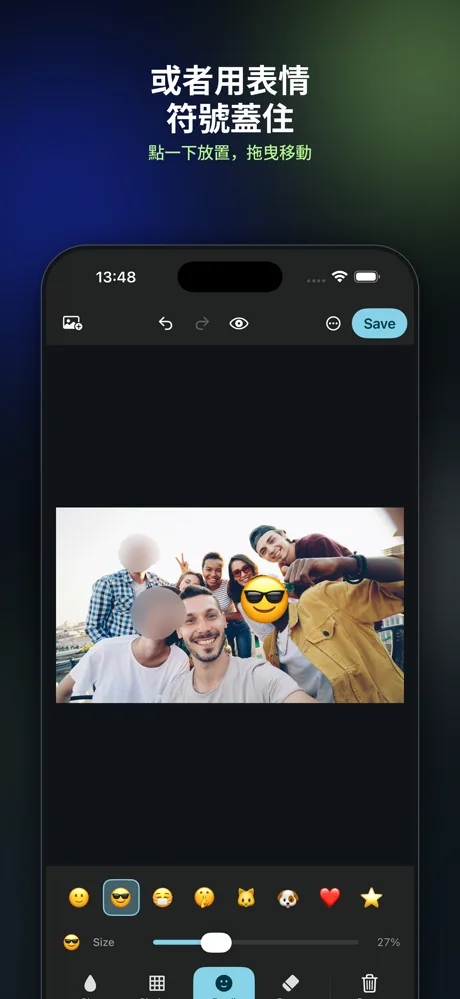
用個表情符號蓋住塊面。輕鬆啲,又唔會令張合照睇落好似查案照片。 Cover a face with an emoji instead. Lighter in tone — a group photo stays a group photo rather than turning into evidence.
擦返走橡皮擦掃過嘅任何效果或者表情符號。所有工具都有還原同重做, 撳住個眼睛掣仲可以同原圖對比。 Removes any effect or emoji underneath it. Undo and redo work across every tool, and holding the eye button compares what you have with the original.
單指畫,雙指縮放同移動。放大之後筆刷喺螢幕上面大小唔變, 所以放得越大,控制得越幼細 —— 邊位可以貼得好準。 One finger paints; two fingers zoom and pan. The brush keeps its size on screen as you zoom, so zooming in is what gives you fine control — close enough to follow an edge exactly.
呢個唔係一句宣傳。你會攞呢個 App 出嚟用,通常就係因為張相入面有唔應該俾人見到嘅嘢 —— 所以個 App 由頭到尾冇一個地方會將張相寄出去。 This is not a marketing line. The reason you reach for this app at all is that the photo contains something that should not be seen — so there is no point anywhere in this app at which the photo is sent anywhere.
免費。冇廣告,冇訂閱,冇任何功能鎖住。 App 入面有個小費罐,唔打賞一樣用到全部嘢 —— 打賞唔會解鎖任何嘢。 Free. No ads, no subscription, and nothing held back. There is a tip jar inside, and it unlocks nothing — every feature works the same whether you use it or not.
有問題、撞到 bug、或者想要多一種工具?直接寫電郵俾我,我自己覆。 A question, a bug, or a tool you wish were there? Email me directly — I answer them myself.
如果係報 bug,寫低你部機型號同 iOS 版本會快好多。 App 入面「⋯」→「報告問題」會自動填好呢啲。 For a bug, your device model and iOS version make it much faster — "⋯" → "Report a bug" inside the app fills those in for you.
Cantalkie 係 Ajuby International Limited 嘅品牌,喺英格蘭及威爾斯註冊。 Cantalkie is a brand of Ajuby International Limited, registered in England and Wales.
同一個想法嘅三個做法:你講嘅嘢同你影嘅相, 應該留喺你自己部機。全部離線行,唔使開戶口。 Three takes on one idea: what you say and what you photograph should stay on your own machine. All three run offline, and none of them needs an account.
 Cantalkie對廣機 · dictation
一撳 Caps Lock 就講,講咩打咩。廣東話、普通話、英文,一句入面轉都得。Hold Caps Lock and talk. Cantonese, Mandarin and English, including mid-sentence.
Mac Cantalkie Meetings會議紀錄 · minutes
錄低個會議,寫低邊個講過乜,再整成一份 Word 會議紀錄。Records the meeting, writes down who said what, and turns it into a Word document.
Mac
Blur Photo遮蓋人臉 · redact
掃過人臉、車牌或者文字,即刻模糊、打格或者用表情符號蓋住。Brush over a face, a plate or some text and it is blurred, pixelated or covered.
iPhone · iPad