Dictation for the Mac that handles English, 普通話 and 廣東話 — including switching between them mid-sentence. Everything runs on your own machine. No account, no cloud, no subscription. Mac 上嘅語音輸入,聽得明英文、普通話同廣東話, 一句入面轉嚟轉去都得。全部喺你部機度行,唔使開戶口,唔上雲端,唔使月費。
No window steals your focus. A glow runs along the edge of the screen — green while it listens, cyan while it transcribes — so you never have to look away from what you were writing. 冇窗口搶你個焦點。螢幕邊會有一圈光 — 聽緊你講嘢係綠色,轉緊文字係青色 — 你唔使望開去。
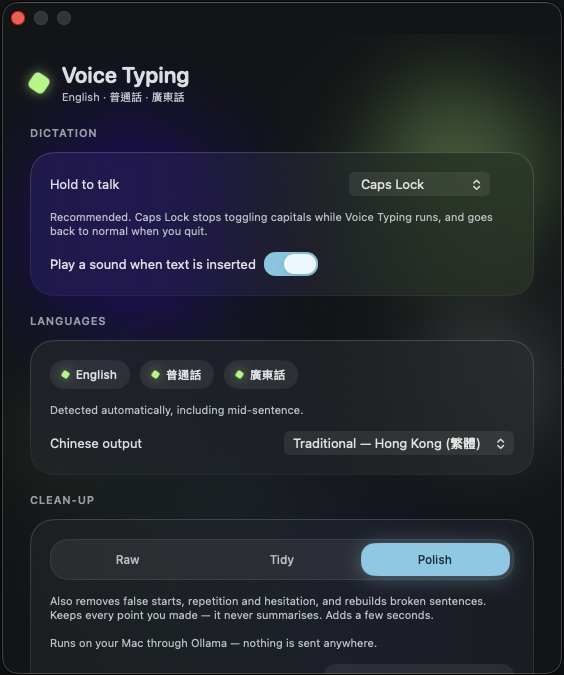
Caps Lock becomes push-to-talk. Nothing is recorded until you press it, and the text lands where your cursor already was. Caps Lock 變咗按住講。你唔撳佢唔會錄, 啲字會插入你個游標本身嗰度。
caps lockMost dictation tools treat Cantonese as an afterthought, and it shows. Cantalkie was built around it from the start. 大部分語音輸入工具都當廣東話係附送嘅,用起上嚟就知。 Cantalkie 由第一日開始就係圍住廣東話嚟做。
Spoken Cantonese, transcribed as Cantonese — not quietly rewritten into formal written Chinese. Output is Traditional Chinese, as Hong Kong writes it. 你點講就點出,唔會靜雞雞幫你改成書面語。出嚟係繁體字,跟香港習慣。
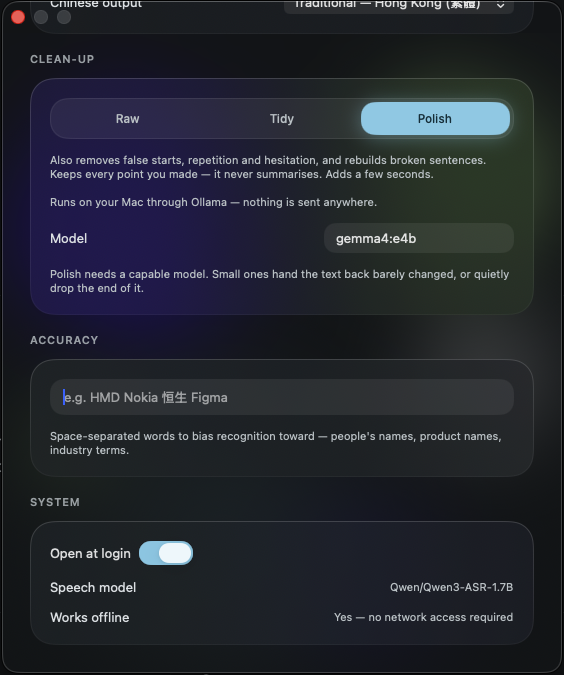
The speech model runs locally. Your voice is never uploaded, never stored on a server, and the app works with the network switched off entirely. 語音模型喺本機行。你把聲唔會上傳,唔會存喺人哋部伺服器,熄咗網一樣用得。
Hold Caps Lock, say what you mean, let go. The text lands in whatever app you were already typing in — mail, chat, notes, a browser field. 撳住 Caps Lock 講嘢,放手,啲字就入咗你本身用緊嗰個 app — 電郵、傾偈、筆記、瀏覽器都得。
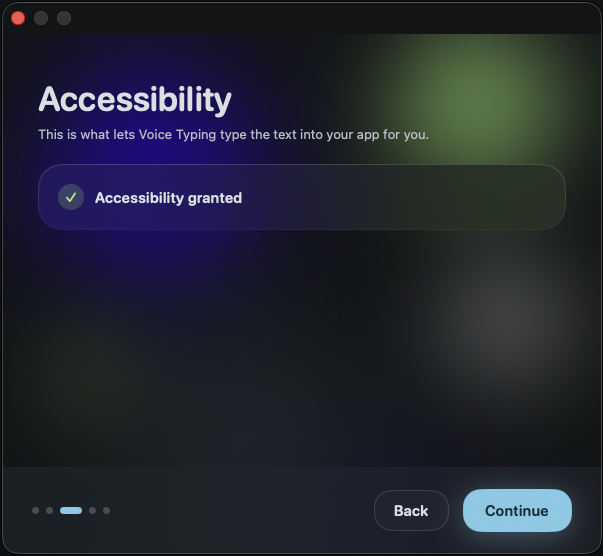
A guided setup walks through the two permissions macOS needs, then gets out of the way. Everything else lives in one small Settings window. 設定精靈會帶你行完 macOS 要嘅兩個權限,之後就唔阻你。 其他嘢全部喺一個細細嘅設定視窗入面。
Cantalkie is made by Ajuby International Limited, a software company registered in England and Wales. We build on-device speech tools for languages that the big providers handle badly. If you would like to talk to us about the product, licensing it, or working together, write to hello@cantalkie.com and a human will reply. Cantalkie 由 Ajuby International Limited 開發, 一間喺英格蘭及威爾斯註冊嘅軟件公司。我哋專做本機語音工具,針對大廠做得唔好嘅語言。 想傾產品、授權,或者合作,歡迎電郵 hello@cantalkie.com,會有真人回覆。